
Inat Box APK Download: Latest Version for Android, TV and PC (2026)
🛡️ VirusTotal: 0/67 (October 18, 2026) • 🔓 Free to download
Inat Box is a free Android app that puts live TV channels, sports streams, movies and series in one list. It is not on Google Play, so you install it by hand as an APK file. The file on our site is 19.12 MB and needs at least Android 6.0. This page lists the verified file details, short setup steps and the risks.
We checked this file’s SHA-256, size, version and permissions. A clean antivirus scan is not a safety guarantee. See the safety details →
Latest Version Details
The file name says v16, but the version stored inside the APK is 15.0 (version code 15), so this page calls it version 15.0. Other sites may list the same file as v16. Compare the SHA-256 value, not the name.
| Version (in the file) | 15.0 (version code 15) |
| File name | inat-box-v16.apk |
| File size | 19.12 MB (19,118,226 bytes) |
| Package name | com.bp.box |
| Minimum Android | Android 6.0 (API 23) |
| Target Android API | 36 (Android 16) |
| Signing certificate | Self-signed, names “Beyazport, Istanbul” |
| Developer | Not officially verified |
| VirusTotal scan | 0/67 on October 18, 2026 |
| SHA-256 | 90a6132ec2abb641335b8f583f0fd21972a9f26a7e3677d62d7980dfb4a9bf18 |
| Site status | Independent information site, not the official site |
Android Compatibility
The file sets Android 6.0 (API 23) as its minimum, so Android will not install it on older versions. Its target API is 36 (Android 16), the version the developer built it for. A target API does not prove the app works on every version up to Android 16, and we have not tested the app on a device.
| Android Version | Install | Notes |
|---|---|---|
| Android 6.0 and newer | Meets the minimum | Install allowed, running not tested |
| Android 5.1 and older | ⚠ Will not install | Below the file’s minimum |
Every device in one table: Compatibility Matrix
File Information and Verification
The download comes straight from our own Backblaze storage, with no redirects or extra apps. Most file managers show the size as 19.12 MB; some show it as 18.23 MB, which is the same number of bytes.
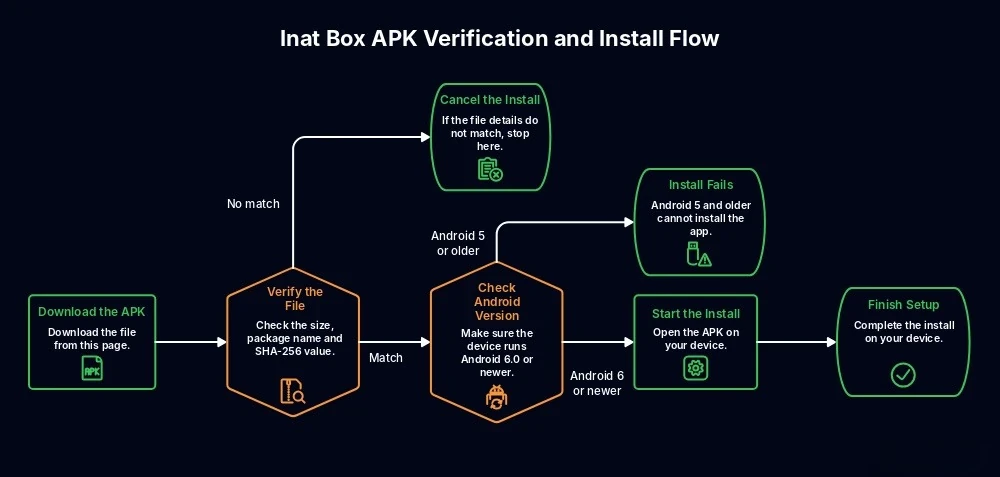
Before you open it, check that the package name is com.bp.box and that the SHA-256 value matches the table above. The easiest way is to upload the file to VirusTotal, which shows the SHA-256 value. Do not install a file that downloads as a ZIP or has an .exe inside.
Download Inat Box APK (19.12 MB)
Verification steps: Safety Guide
What Is Inat Box and What Does It Do?
Inat Box is an Android app that lists Turkish and foreign TV channels, live sports, movies and series on one screen. It does not make content itself; it gathers stream links from the internet. It is not on Google Play, so it is installed as an APK file.
How Is It Different from Inat TV?
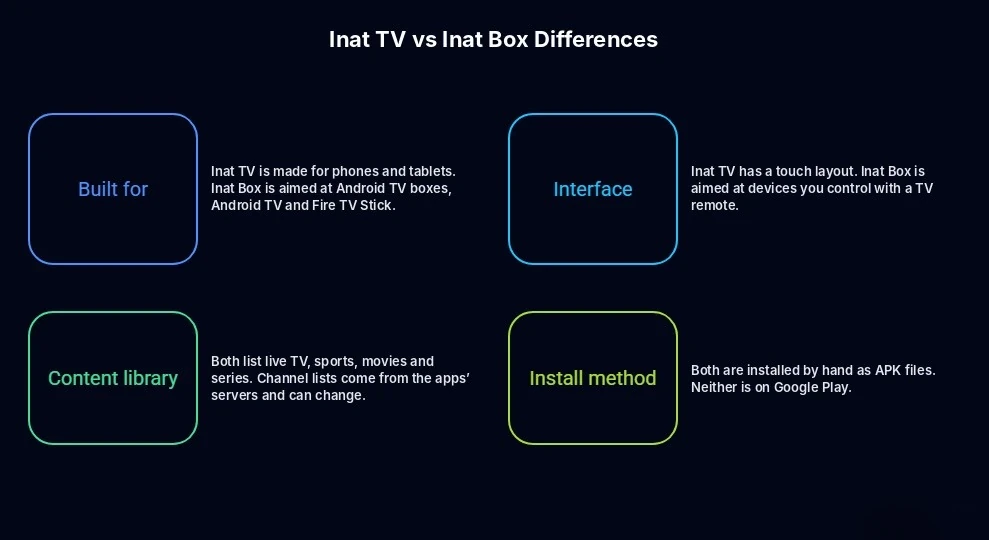
The two apps are related but made for different devices. Inat Box is aimed at devices you use with a remote, like TV boxes and Android TV. Inat TV has a touch layout for phones and tablets.
Phone users: Inat TV APK
Cost, Account and Official Status
The app is free to download and contains ad components (Unity Ads and Google ads). Sites that sell a “Pro” or “ad free” version are not official. We could not verify whether an account is needed, because we did not run the app on a device.
The signing certificate names Beyazport, Istanbul, but we could not confirm an official developer or website. Addresses that claim to be the official site change often, so trust the file details, not the site.
Full guide: Complete Inat Box APK Guide
What Can You Watch?
Turkish and foreign TV channels, live sports, movies, series, documentaries and kids content, sorted into categories. The list comes from the app’s servers, so it can change from day to day.
Live TV
Turkish and foreign TV channels are sorted into categories. The list comes from the app’s servers, so the number of working channels can change from day to day.
Sports Channels
Sports channels, mainly football, have their own category. Users report more freezing during big matches.
Picture Quality
Quality depends on the stream’s source and your connection. As a general guide, Netflix recommends at least 3 Mbps for HD and 5 Mbps for Full HD.
Android TV Entry
The manifest includes an Android TV launcher entry, so the app is meant to open from the TV home screen with a remote. We have not tested this on a TV box or Fire TV Stick.
Multi-Device Support
The manifest marks the touchscreen as optional and includes an Android TV entry. This shows the file is meant for phones, tablets and Android TV devices, but it does not prove it works on every model. APK files cannot run on iPhone or on Samsung and LG TVs.
Permissions and Privacy
No camera, contacts, SMS or location permission. The file does include ad components (Unity Ads, Google), Firebase analytics and notification services.
App Interface
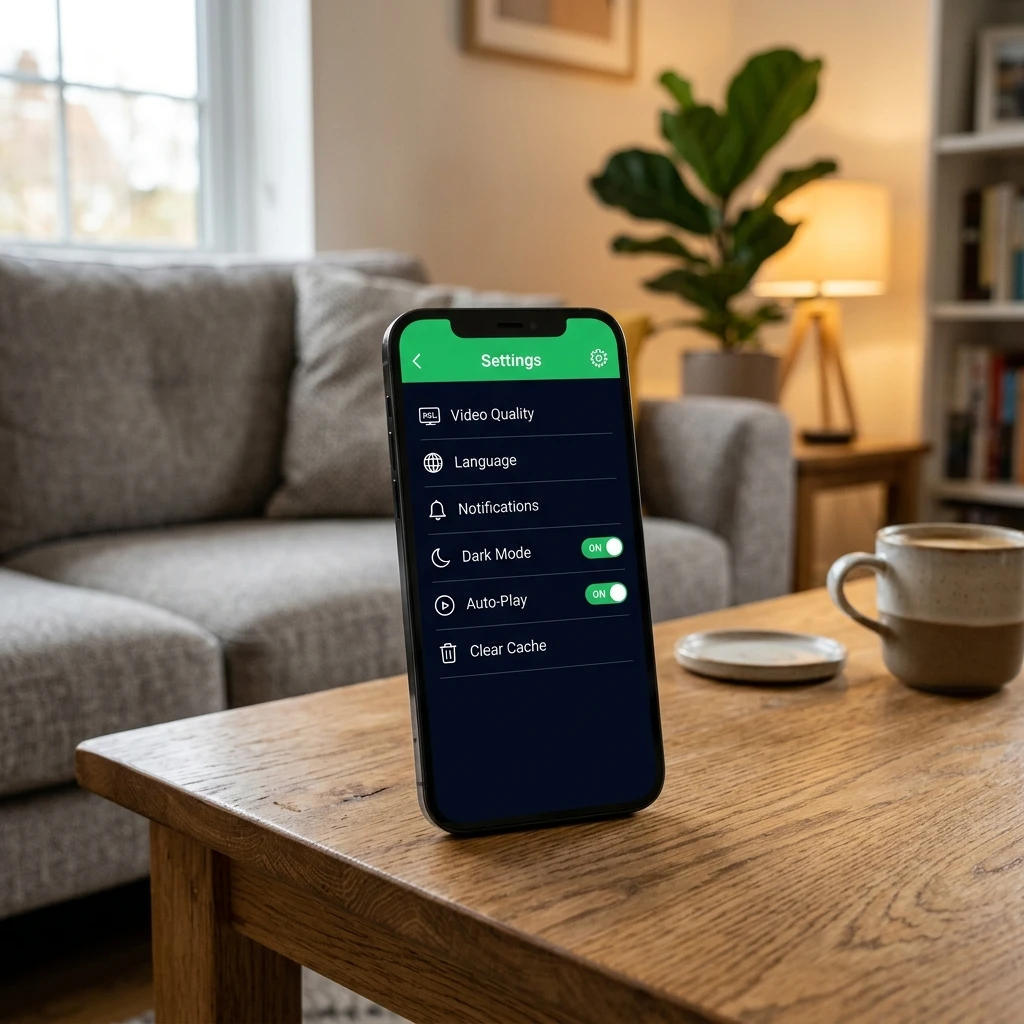
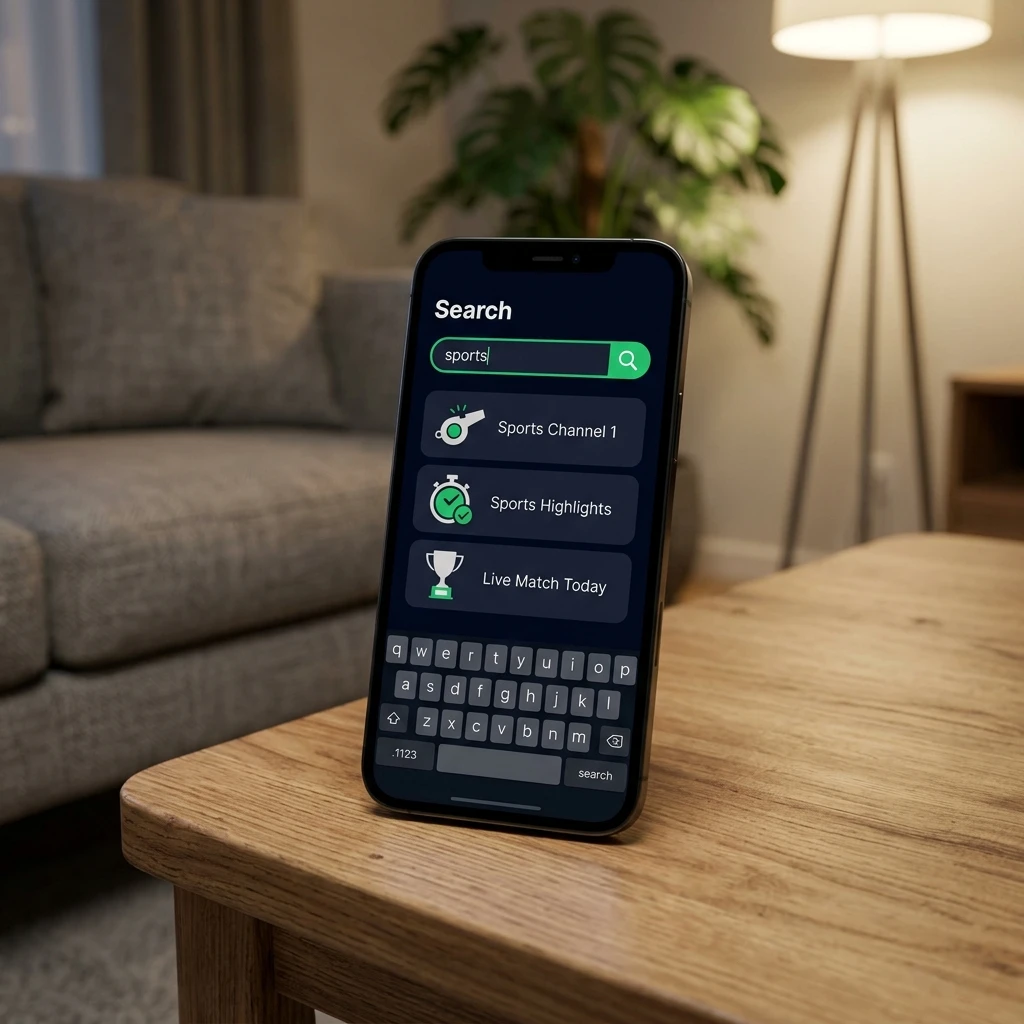
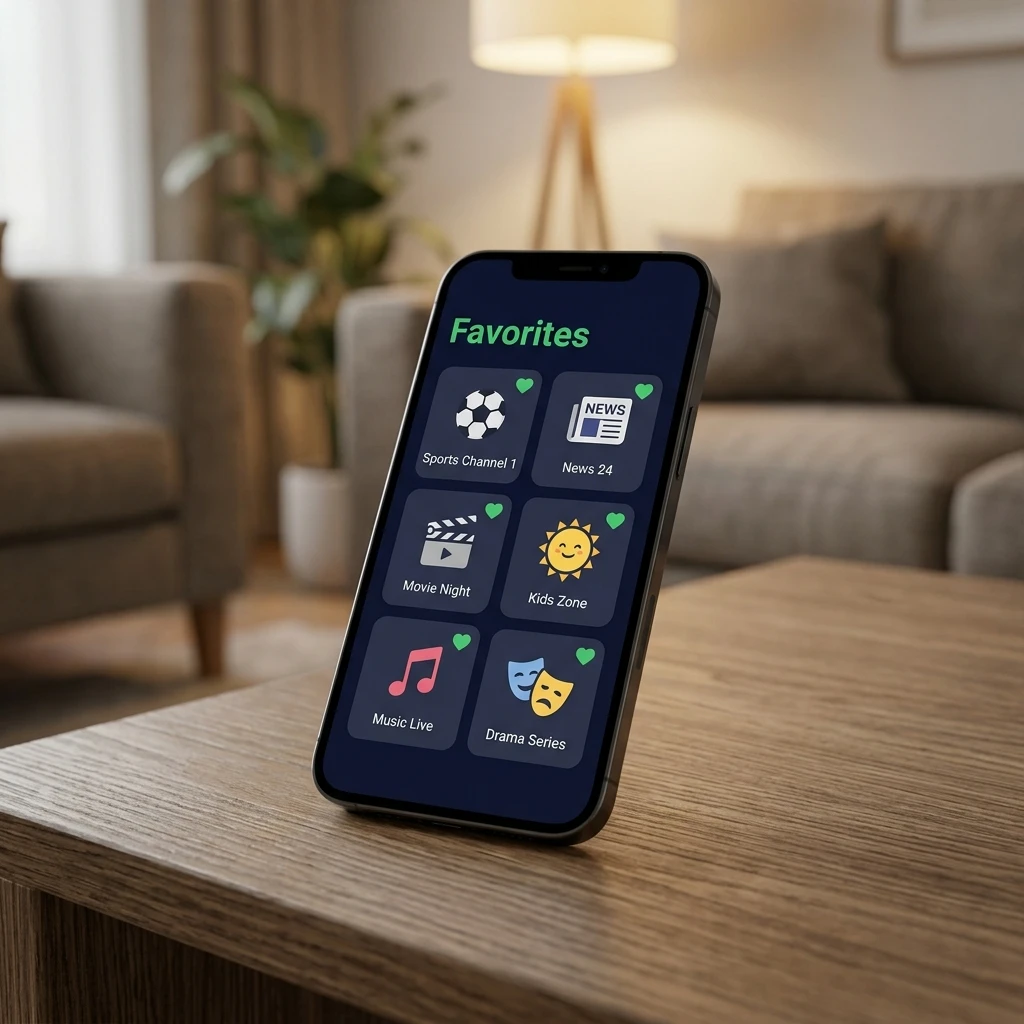
Example views of the main screens: home, categories, live TV, settings, search and favorites. They show the general layout and may differ from what you see in the app.


Which Devices Does It Work On?
The file requires Android 6.0 or newer. APK files do not run on iPhone, iPad, or Samsung (Tizen), LG (webOS) and Roku TVs.
Android Phones and Tablets
Phones and tablets with Android 6.0 or newer meet the file’s minimum requirement. This does not guarantee that every model runs the app well. Download the file, open it and allow the install when Android asks.
Android TV and Fire TV Stick
The manifest includes an Android TV launcher entry, so the app is meant to appear on the TV home screen. This is file information, not a device test. Fire TV devices run different Fire OS versions, so we cannot confirm it works on every Fire TV Stick. On TV boxes and Mi Box, the Downloader app or a USB stick is the usual way to install. On Fire TV Stick you first turn on Developer Options.
Step by step: Inat Box for Android TV · Inat Box for Firestick
PC, iPhone and Other TVs
APK files cannot run directly on Windows, Mac, iPhone, iPad, or Samsung (Tizen), LG (webOS) and Roku TVs. On a computer, an Android emulator such as BlueStacks is needed. On these TVs, an Android TV box or Fire TV Stick on the HDMI port is the usual option.
Details: Inat Box for PC · Inat Box for iOS
How to Download and Install Inat Box
Setup takes four steps. The steps below are for Android 8 and newer. On Android 6 and 7, turn on Unknown sources in Settings instead.
Download the APK
Tap the download button. The file goes to your Downloads folder and should be 19.12 MB.
Open the File
Tap it in your Downloads folder or in the browser’s download notification.
Allow This Source
If your phone asks, turn on “Allow from this source” and go back. On Android 8 and newer, this permission is given per app.
Install and Open
Tap Install, then Open. The original app opens straight to the channel list. If it asks you to download another app, the file is fake.
Permissions and Play Protect
On Android 8 and newer, you allow installs only for the app that opens the APK, such as Chrome or Files, and you can turn this off again after setup. Google Play Protect may warn about apps from outside the store. A warning does not prove a file is harmful, and no warning does not prove it is safe, so check the SHA-256 value first.
Setup on every device: Full Installation Guide
Is Inat Box Safe?
Scan Findings and Limitations
What our file check shows: the SHA-256, size, version and package name match the table above. The file is signed with a self-signed certificate and contains ad, analytics and notification components (Unity Ads, Google ads, Firebase, OneSignal).
What external reports say: VirusTotal showed 0 of 67 engines flagging this file on October 18, 2026. In August 2025, news reports described a police operation in 21 provinces over unlicensed streaming and bank account fraud linked to apps of this kind (Habertürk). Those reports did not say which file the victims used.
What is unknown: who the developer is, whether this file matches an official release, and how the app behaves on a device. A clean scan does not prove the app is safe.
Permissions and Fake APK Warning
The file asks for internet and network access, notifications, starting at boot, background work, vibration, advertising ID and permission to install other apps. It does not ask for camera, contacts, SMS, call log or location.
Because it can install other apps, only use a file whose SHA-256 you checked. Delete any version that:
- downloads as a ZIP or has an .exe inside
- has a different package name or SHA-256 value
- asks for SMS, contacts or accessibility permissions
- asks you to install another app or a “player”
Full safety check: Safety Guide
Is Inat Box Legal?
Copyright Considerations and Risks
We found no information that the app holds streaming rights. Article 71 of Turkey’s Law No. 5846 sets prison or a judicial fine for sharing protected works with the public without permission (Kulaçoğlu Law). The article targets those who share streams; it has no separate rule for viewers. This is not legal advice.
Other risks: a fake file can carry malware, and the stream servers can stop working at any time. Licensed platforms avoid both problems.
Our site policy: Disclaimer
How to Update Inat Box
Download the latest file from this page, check its SHA-256 value, and install it over the old one. If the app shows its own update message, the same check applies to the file it downloads.
Why Are Version Numbers Confusing?
Names like v14, v16 and v16.25 are going around. A higher number in a file name does not mean a newer file. This file is named v16 but reports version 15.0 inside. Check the package name and SHA-256 value.
What If the Update Fails?
Usually storage is full or the new file has a different signature. Free up space first. If it still fails, remove the old app and install the verified file again.
Inat Box Not Opening or Not Working?
| Error | Likely cause | Fix |
|---|---|---|
| White screen | Full cache or battery restriction | Clear the cache and turn off background restriction |
| “Could not connect to server” | Fake or old APK, server problem | Install the verified latest version, or wait a few hours |
| “App not installed” | Old version with a different signature, or full storage | Remove the old version, free up space, download again |
| “There was a problem parsing the package” | Damaged file or a device older than Android 6.0 | Download again and check your Android version |
| Stream freezes | Busy server or weak Wi-Fi | Lower the quality and use a cable |
| Will not open on a TV box | Android older than 6.0, or a full cache | Check the version, clear the cache and restart the box |
For more errors and fixes, see the Troubleshooting Guide.
Inat Box APK: Pros & Cons
✅Pros
- Free to download
- Minimum requirement is Android 6.0
- Live sports, movies and series in one app
- Made for phones, tablets and Android TV devices
- Includes an Android TV home screen entry
- No camera, contacts or SMS permission
❌ Cons
- Streams are not licensed; unlicensed streaming breaks Turkish copyright law (FSEK)
- Not on the Play Store or App Store
- Requires sideloading, with risks if downloaded from the wrong source
- May freeze at peak times
- No official support line
- Does not work on iPhone or Samsung and LG TVs
- Shows ads and includes analytics services
- Many fake files share the same name
What Apps Are Similar to Inat Box?
Kodi and Stremio are legal players; the risk depends on the add-on you use. For licensed streaming in Turkey there are tabii (TRT), Netflix, Exxen and TOD.
| Feature | Inat Box | Kodi | tabii (TRT) |
|---|---|---|---|
| Licensed streams | Depends on add-on | ||
| Turkish content | Yes | Depends on add-on | Yes |
| Setup | APK, by hand | Google Play | Google Play |
| Price | Free, with ads | Free | Basic content free, Premium for sports |
More options compared: Best Alternatives
What Do Users Say?
Most recent complaints on Şikayetvar are about a white screen or the app not opening after an update. Others mention the “could not connect to server” error.
Frequently Asked Questions
Final Verdict: Should You Download It?
It is a free streaming app installed from an APK file, but unclear licensing, outages and fraud through fake files are real risks. If you install it, verify the file first, do not enter personal details, and use a separate TV box instead of the phone with your banking apps.
Download the Latest APK
Editorial Standards & APK Verification
Our goal is to help visitors understand Inat Box, its available versions, device compatibility, installation requirements and potential risks.
How We Check Information
- Version information: we review the APK file details and separate the file name from the version reported by the file itself.
- File verification: where available, we give the file size, SHA-256 checksum and scan information so you can compare the file you download.
- Security limits: antivirus results are not a guarantee that a file is safe. Results can change, and a scan cannot prove an app is safe or legitimate.
- Device compatibility: we include compatibility details only where documentation or technical evidence supports them.
- Sources and updates: we use relevant sources for technical and legal information and update this page when verified information changes.
What We Checked in This APK
- SHA-256 checksum and file size (19,118,226 bytes)
- Package name, version name 15.0 and version code 15
- Minimum Android version (API 23) and target API (36)
- Requested permissions and signing certificate
- VirusTotal scan on October 18, 2026 (0/67)
What Has and Has Not Been Tested
File inspection and online scans do not replace installing and testing on a real device. Unless a device test is documented on this page, we do not claim that the app was personally tested or that every feature works.
This content is for information. Review permissions, verify downloaded files and consider the laws and security risks before installing third party apps.
Sources
Explore More Guides
We wrote a separate guide for every device and question.