Inat Box APK Android TV Guide: Setup, Fixes and Removal
Everything specific to using the Inat Box APK on a TV: what the file supports, which TV systems can install it, how to find the app and how to fix common TV problems.
What the File Supports on TV
We checked these TV related details in the APK file itself:
| Detail | What we found |
|---|---|
| Android TV launcher entry | Yes, so it can appear in the TV’s apps row |
| TV banner image | Yes |
| Touchscreen required | No |
| Minimum Android version | Android 6.0 (API 23) |
| Package name | com.bp.box |
| Version inside the file | 15.0 (version code 15) |
These details show that the app is built to open on TVs. They do not prove that every screen or feature works with a remote, and we have not tested the app on a TV.
How to check the file before installing: Inat Box APK Guide
Which TV System Do You Have?
The steps depend on the system, not the TV brand:
| System | Can it install this APK? |
|---|---|
| Android TV or Google TV, Android 6.0 or newer | Meets the file’s minimum Android requirement; installation is not guaranteed. |
| Android TV on Android 5.x | No, it is below the file’s minimum |
| Android TV box (MXQ, X96, H96 and similar) | Usually, if it runs Android 6.0 or newer |
| Fire TV | Depends on the model |
| Samsung (Tizen) and LG (webOS) TVs | No, they do not run APK files |
To check your TV, open Settings, then Device Preferences or System, then About, and look for the Android TV OS version. Menu names vary by brand. Meeting the minimum does not guarantee that the app installs or works.
Many TVs from brands such as Sony, Hisense, TCL and Philips, and boxes such as NVIDIA Shield and Mi Box, run Android TV or Google TV. Whether this APK installs depends on the Android version and the device, not on the brand.
Fire TV models and steps: Installation Guide
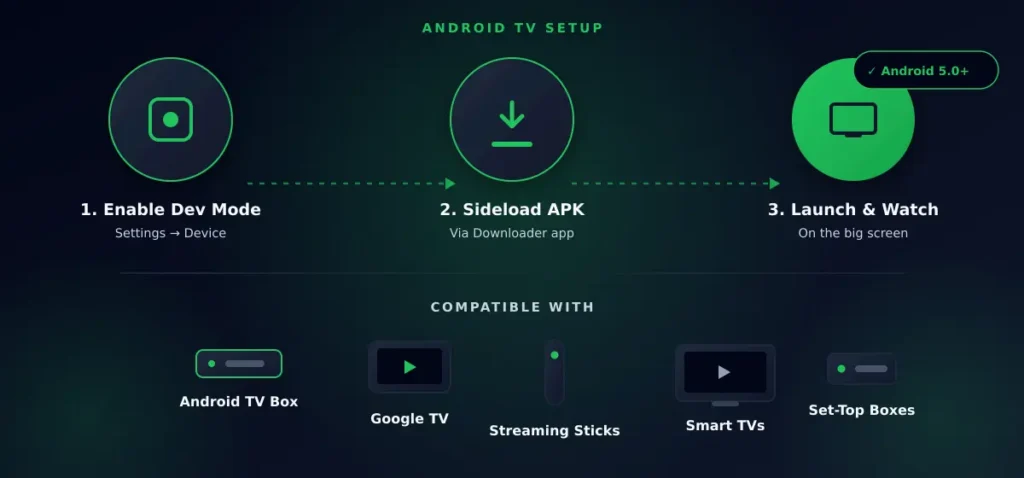
Installing on Android TV
Install Downloader
Open Google Play on your TV, search for Downloader and install it.
Allow Unknown Apps
Open Settings, then Apps, then Security and restrictions, then Unknown sources, and turn on Downloader. On some Google TV devices this menu only appears after you turn on Developer options: open Settings, then System, then About, and select Android TV OS build seven times. Menu names vary by TV brand and Android TV version.
Download the File
Open Downloader and type inatboxdownload.com.tr in the address box. When our page opens, select the green Download Inat Box APK button.
Install and Find the App
Select Install. The file we checked has an Android TV launcher entry, so Inat Box should appear in your apps row.
Using a USB Stick Instead
Download the APK on a computer, copy it to a USB stick and plug it into the TV. Open the file with a file manager app and select Install. You may need to allow that file manager to install unknown apps.
Steps for phones and other devices: Installation Guide
Finding the App After Installing
- Look in the apps row on the home screen. On Google TV, open Apps or Your apps.
- If it is missing, restart the TV and check again.
- You can always open it from Settings, then Apps, then Inat Box.
- The same screen shows the version number. It should match the file you checked.
Common TV Problems
| Problem | What to do |
|---|---|
| Not enough storage | Some TVs and lower storage TV boxes have limited free space. Clear the cache of other apps or remove apps you do not use, then try again. |
| Picture is cut off at the edges | Turn off Overscan, or turn on an option such as Screen Fit or Just Scan, in the TV’s picture settings. |
| Downloader cannot open the page | Check that inatboxdownload.com.tr was typed correctly, with no spaces. Then try the USB stick method. |
| “App not installed” | Remove the old version, or check that the new file has the same certificate. |
| Play Protect warning | Read the warning carefully and keep Play Protect turned on. If you are unsure, do not install the file. |
| App closes right after opening | Open Settings, then Apps, then Inat Box, and clear its cache. If it still closes, restart the TV and check that the APK meets your device’s requirements. The problem may also be related to app compatibility or the installed file. |
More errors and fixes: Troubleshooting Guide
Using a Remote
Typing an address with a remote is slow. Many TV remotes have a microphone button for voice typing, and on Google TV the Google TV app on your phone can work as a remote with a keyboard. The short address inatboxdownload.com.tr is easier to type than a long file link.
Basic Remote Controls
- Use the direction buttons to move between items you can select.
- Press OK or Select to choose an item.
- Press Back to return to the previous screen.
- Controls can differ between app screens and TV devices. We have not tested them on a TV.
Removing Inat Box From Android TV
- Open Settings, then Apps, then Inat Box.
- Select Uninstall and confirm.
- If you downloaded the APK, delete it from your Downloads folder, Downloader or your file manager.
- For better security, turn off the permission to install unknown apps for Downloader or your file manager when you no longer need it.
More safety checks: Safety Guide
Frequently Asked Questions
Is Inat Box on Google Play for TV?
No. We did not find it on Google Play, so it has to be installed from an APK file.
Can I install Inat Box on a Samsung or LG smart TV?
Not directly. Samsung TVs use Tizen and LG TVs use webOS, and neither runs APK files. You need an Android TV box or a Fire OS stick.
Do I need a mouse or a touchscreen?
The file we checked includes an Android TV launcher entry and does not require a touchscreen. These details suggest TV support, but we have not tested whether every screen and feature works with a remote.
Can I install it on Fire TV?
Only on models that run Fire OS 6 or newer. Newer sticks that run Vega OS cannot install standard Android APK files. The model table is in our Installation Guide.