iPhone & iPad — 2026
Inat Box on iOS: What Actually Works
No official Inat Box or Inat TV app exists for iPhone or iPad. Here’s why, and what your real options are if you’re on iOS.
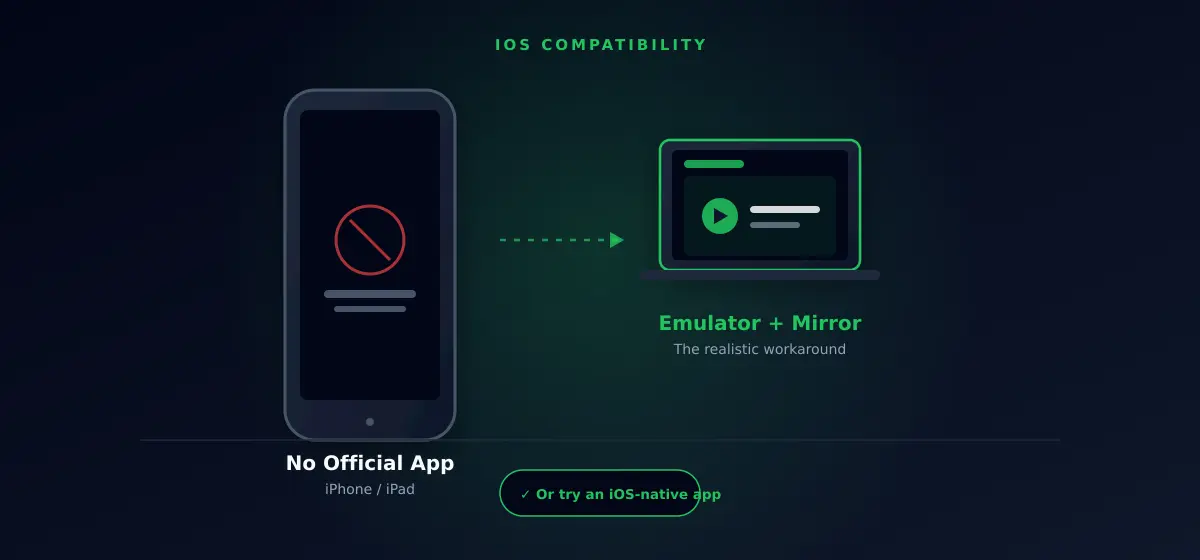
Inat Box iOS support doesn’t exist — there’s no official app for iPhone or iPad, and there never has been one. If you’ve found a site claiming to offer an “Inat Box iOS download,” treat it as a red flag rather than a shortcut. There’s no legitimate app behind that claim, and sites making it are usually fishing for ad clicks or, worse, trying to get you to install something you shouldn’t.
That’s frustrating if you’re an iPhone user who keeps seeing this app recommended everywhere. The good news is the underlying frustration — wanting free live TV and sports on your device — has real solutions, just not the one you were originally searching for. This page walks through why the iOS gap exists and what actually works instead.
Why Inat Box iOS Doesn’t Exist
Inat Box and Inat TV are distributed as Android APK files, installed by sideloading rather than through an app store. Apple’s iOS doesn’t allow this. Every app on an iPhone has to go through App Store review, and Apple rejects apps built around unlicensed streaming content — which rules out an official release entirely. Android’s more open install process is precisely what makes Inat Box possible there and impossible here.
This isn’t a temporary gap waiting to be filled with the next update. It’s a structural difference between how the two platforms are governed, and it’s the same reason you won’t find similar Android-first streaming APKs officially available on iOS either — Inat Box isn’t unique in this respect.
Your Real Options on iOS
Run It on an Android Emulator, Then Mirror It
Some iOS users run Inat Box on an Android emulator on a Windows or Mac computer (see our PC installation guide), then cast or mirror that screen to an Apple TV or iPad using AirPlay. It works, but it’s clunky — you’re watching your computer’s screen, not running a native app, and latency makes live sports harder to enjoy this way.
Third-Party App Stores (AltStore, Scarlet, Sideloadly)
Tools like AltStore or Sideloadly let you install apps outside Apple’s official store, and some communities package unofficial builds of apps like this through them. Be realistic about the tradeoffs before going this route: Apple revokes the certificates these tools rely on regularly, so installs frequently stop working within days or weeks and need re-signing. This isn’t a stable, long-term solution — it’s a workaround that needs ongoing maintenance, and it’s worth confirming a build actually exists before spending time chasing it down.
Switch to an App With an Official iOS Version
If reliability matters more than replicating Inat Box exactly, this is the most realistic path. Pluto TV has a genuine, official iOS app — free, legal, no sideloading required — and covers live TV plus on-demand content. Check our full alternatives breakdown for others worth considering.
Frequently Asked Questions
Will Inat Box iOS Ever Become Official?
Unlikely. Apple’s App Store review guidelines specifically block apps built around unlicensed content distribution, which is the core of what Inat Box does. That restriction isn’t a bug Apple is likely to relax, so an official Inat Box iOS release isn’t realistically on the horizon.
Do I Need to Jailbreak My iPhone?
Not for the emulator/mirroring approach. Jailbreaking opens up more sideloading options but introduces its own security and stability risks, and voids your warranty — we don’t recommend it just to run this specific app.
Can I Use Inat Box Through a Web Browser on iPhone?
No functioning web version exists. Every legitimate route to this content runs through the Android APK, one way or another.
Related Guides
Have an Android device instead? Start with our Complete Guide. Prefer running it on a computer? See our PC Installation guide. Looking for an app that already works on iOS natively? Check our Best Alternatives page.
The short version worth remembering: Inat Box iOS isn’t a compatibility problem you can troubleshoot your way out of — it’s a platform decision made by Apple, not a bug on the developer’s end. Once that’s clear, picking one of the three paths above becomes a much easier call.